Sunday, January 10, 2016

Lost In Translation

Good news! Today was a difficult task, but I managed it. The InsectCharacter originally used the Blueprints State Interface, but with the successful use of the C++ State Interface, one can inherit methods like in the previous interface. Unfortunately, I remembered that data members cannot be inherited via an interface, so those have to be placed in each class that inherits them. Ugh.

So far, the functionality works smoothly and the InsectCharacter has no more Blueprints coding inside of it. Problem? Translating the rest of it to work nicely with the InsectCharacter. Green arrows turn insects blue until the enumerations match:


Everything is very tightly wound around each other (Coupling? YOU BET) and will require a careful step-by-step process to fully remove the Blueprints from everything. And I mean everything:


It might be a bit longer than previously expected.

Saturday, January 9, 2016

State Change Interface

Today juggled a couple of things: assistance, failure, and mild success!

Assistance: I helped my classmate get ahold of some proper source control so he could clone the repository he and I were working on. Unfortunately, the HTTP access to repositories is extremely slow and results in a slew of timeout errors, so I made the jump to SSH for a lengthy, but successful clone. Success!

Failure: Looks as if I'll have to hold off C++-translating the AI blueprints for now. In the main service (aggravation checks), basic functions like clearing blackboard values and actual tick events are too much for C++ service classes. Baffling.

Success! Again: I did, however, manage to figure out how C++ interfaces worked with Unreal, and managed to create a spitting image of the StateChangeInterface. With that step, I'll have to figure out how the functions derive from that interface...

Friday, January 8, 2016

Getting Back in the Action

It's been a couple of days, and due to transitioning from job to school and no server access with Forticlient I've been unable to really work on anything the past few days. The horror!

Luckily I got the client setup just fine and found out some interesting news involving the transition from Blueprints to C++ with the InsectCharacter AI. The first part is that the C++ AIController works! It's a suitable vessel from which to hold the blackboard and behavior tree components separately from the C++ code.

As for the services, it was a bit tricky to figure out. Technically services derive from UBTService_BlueprintBase, which is heavily not recommended (not allowed, no-go) for native C++ class making. Problem is, the "Event Receive Tick" node that the entire service relies on each tick is not implemented in the other UBTServices. Luckily, the UBTService has a method that can be treated as a Tick, the OnSearchStart method. Each time the tree is searched through (Tick-tick-tick), the insects treat this as the service as necessary. By logging the data, I was able to see the action without translating everything to C++, so I'll get to translating it soon.

Tuesday, January 5, 2016

Spiral Twister

Today was the chance to implement a neat little feature to TrailConverge, along with fixing a few bugs. Remember! Always have a subscriber attached to a button and focus on curbing velocity on the floating objects to keep them from escaping Earth's atmosphere.

As for the feature, it's an extension of the circular pathways on the trailing objects. When enough rewards are accumulated, I triggered a set of two coroutines to move the objects back and forth along the Z axis. Usually there's nothing too interesting about it, but combined with the circular movement it produces a neat spiral effect:


To truly illustrate the effect, I also whipped up a quick script that allows the camera to follow a sequence of dynamic positions and rotations to see the spiral in better view as it converged. The interpolations were linear for both, as this specific linearly interpolates camera angles without Gimbal Lock. If need be, I can always update with a Slerp if things get crazy.


Also, the previous skybox was a bit gloomy, so I felt the stars in the sky (especially with the revolving planet look) would have been more suitable.

Monday, January 4, 2016

Trailing Through

Yeargh! Our connection via Forticlient is somehow denying me access to my work on the Perforce server, so I can't get back to capstone working just yet.

As for work today, my supervisor is currently catching up with suggestions and feedback, so I only found enough work to make a different application, the Trail Converge application.

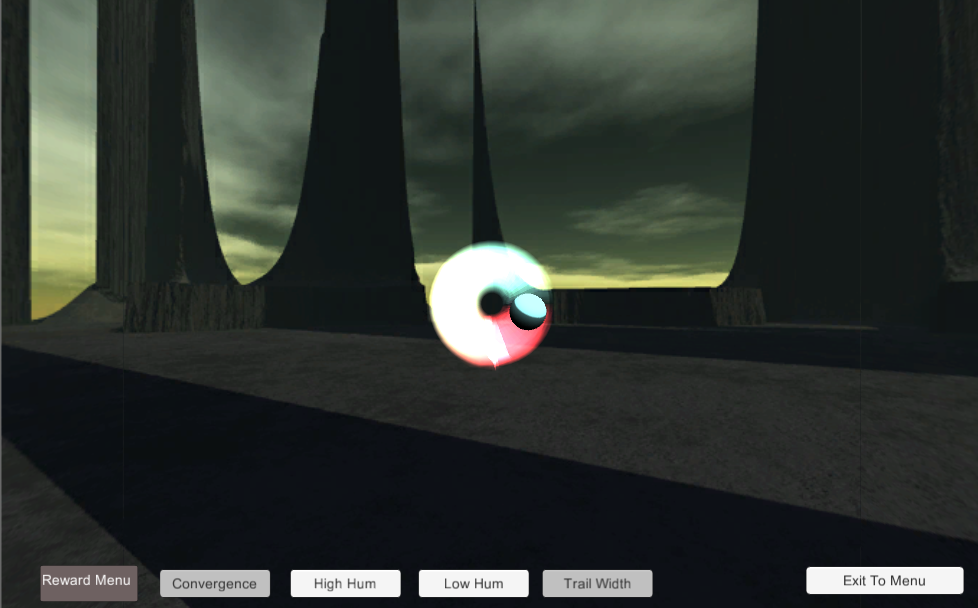
The original idea was to create a set of objects that utilize a line or trail as they moved across. This was ideal for the Trail Renderer, which draws a set of particles that trail behind the object as it moves. There's also the problem with the possibility of infinite traveling, so I decided to implement a more mesmerizing circular movement to keep track of the objects.

The main reward of the application was to converge the paths of the objects. By setting the cosine and sine of the objects, one could follow a circular path that could converge to a set target radius. Since the application looks a little better with smoother transitions, I also setup an interpolation for those objects to reach that smoothness.

The same thing applied to the line width, in which the line width of the objects would smoothly interpolate over set values over time. Unfortunately today was a bit straightforward, so I can only show pretty things moving to the beat of a reward event:


What next? Hopefully I get some more feedback and suggestions so I can continue further before FIEA starts. I get antsy when there's no huge undertakings and I have to enjoy a winter break.

Sunday, January 3, 2016

Raindrops Also Keep Falling On My Head

Today was a bit of a shaky day, as I had to pave a lot of my tasks due to not getting any feedback on my previous work from the 1st.

To go with the idea of gradually adding effects, or special effects that came in turn with a certain set of rewards (or lack there of), I came up with a rain effect. The rain effect relies specifically on the amount of clouds covering the sky and how dark the clouds are, utilizing stretched blue billboards for a neat little rain effect to really drive it home when somebody doesn't get it right:


I also dabbled in some more user-friendly portions with a tooltip, a single image that takes on a specific text saved by all of the buttons whenever a Pointer Enter (hover event occurs). Luckily Unity has a cross fade alpha method instead of me having to build it from scratch, but I learned some tricky restrictions with UI events, including functions taking a single, non-class, non-struct parameter. No Vector2 was allowed, but strings and ints are just fine.


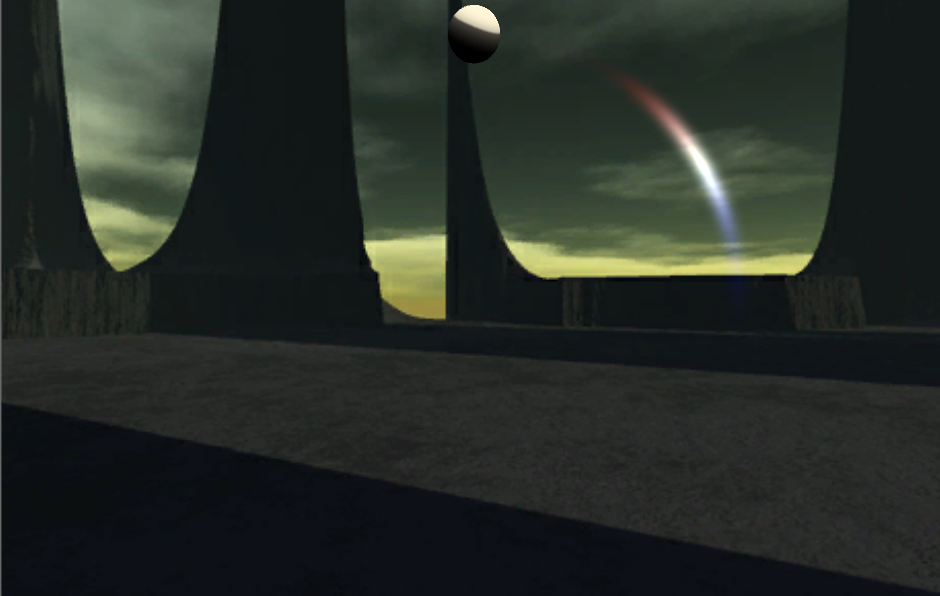
As for my next step? It'll involve a magical trail renderer and getting it to extend all the way to the ball that produces it:


Friday, January 1, 2016

Clouds Keep Falling on My Head

Today was a day to tackle another possible application - The Weather Changer! (Or just Weather; still thinking of a good title). The most difficult part of this (which I also tackled last night) was the cloud covering; I'm still not quite used to a cloud system in Unity (50 bucks for volumetric clouds? naaah) so I worked on a horizontal particle system of stretched billboards to get a general feeling of weather:


I also worked on varying both the emission rate (cloud cover) and the colors of the clouds over time. The tricky part of this one was determining how the emission rate is changed in the latest version of Unity; the emissionRate variable is now obsolete, forcing the access of emission (read-only) with a writable rate value. That rate value is actually a MinMaxCurve struct that required instantiation and assigning of a completely new struct. Hacky, but it works.

Combining it with accessing the exposure of the skybox (in a similar script to the SkyChanger) allowed a separation between dark and stormy:


To light and sunny:


The "Thunder" and "Sunny Day Sound" modules also got a chance to counteract each other's sounds with an optional list on the sound cue scripts that allow stopping of opposing sounds when events start.

What next? Rain, perhaps! And I'll also see how to integrate tooltips to make the system easier to navigate.